A security alarm is designed to call attention to a possible threat. The alarm may detect motion, a door opening, glass breaking, smoke, or another monitored event. The alert is important, but an alert by itself may not explain what caused it.
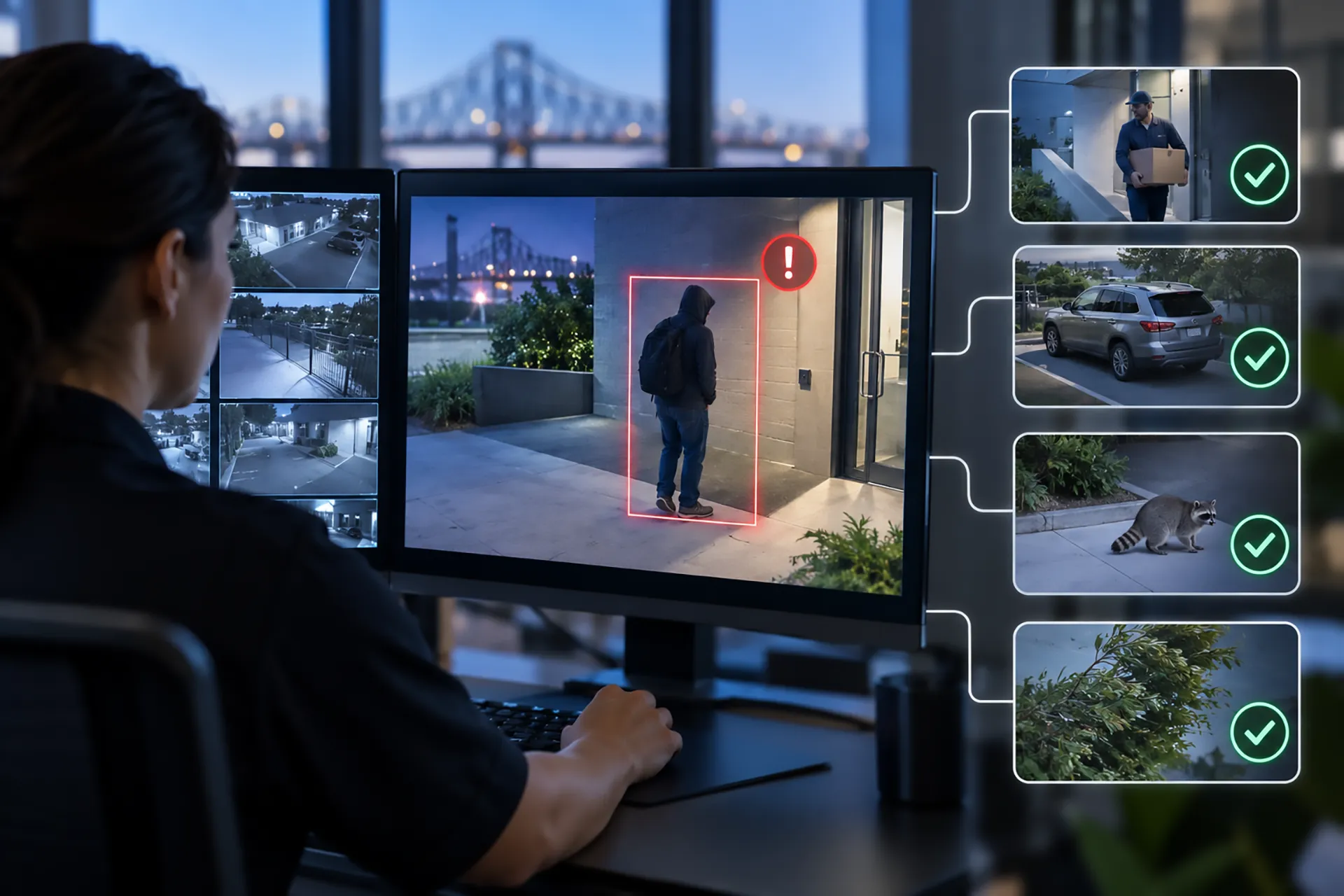
Video verification adds visual context to a security event. Depending on the system, a monitoring operator or authorized user may be able to review live or recorded video and determine whether the activity appears to involve a person, vehicle, animal, environmental condition, equipment issue, or another cause. This additional information can help a business make better decisions and reduce unnecessary responses to non-threatening activity.
Video verification is not a guarantee that every false alarm will be eliminated, and it does not replace good system design or trained monitoring personnel. It is one part of a broader approach to commercial security.
What Is Video Verification?
Video verification is the process of using camera footage to help confirm what caused a security alarm or alert. A sensor may report activity at a door, gate, hallway, loading area, or perimeter. Video can then show what happened around the time of the event.
Some systems rely on a monitoring center to review the event. Others allow an authorized business owner or manager to view footage through a secure application. More advanced systems may use video analytics to identify people, vehicles, animals, or activity patterns before a trained operator reviews the situation.
The exact process depends on the camera, alarm, monitoring service, software, communication connection, and response procedures. Businesses should ask a security provider how events are reviewed, who receives the information, and which actions can follow a verified threat.
Why Do Traditional Alarms Create False Alarms?
A traditional alarm may respond to a sensor event without knowing the cause. Motion can be triggered by an employee entering incorrectly, an animal passing through an area, moving vegetation, changing lighting, a loose door, equipment, or another non-threatening condition. A door contact may activate because a door was not fully closed. Environmental sensors can also create alerts when conditions change.
Not every alert is a system failure. An alarm is doing its job by reporting an event that matches the programmed detection rules. The challenge is determining whether the event represents a real security threat.
Repeated false alarms can create operational problems. Employees may become less attentive to alerts, managers may spend time investigating non-threatening activity, and a business may face avoidable disruptions or local false-alarm fees. Alarm procedures can also become less effective when responders receive limited information about what is happening at the property.
Video verification helps add context so that an alert can be assessed more accurately.
How Does Video Verification Work?
A typical video-verified event may follow several steps. First, a sensor or analytics rule detects activity. The system sends an alert to the monitoring platform. A camera associated with the area provides a live view, a short video clip, or recorded footage. An operator or authorized user reviews the available information. The event is then handled according to the property’s response plan.
The response may include contacting a responsible person, using two-way communication to issue a warning, activating a configured deterrent, escalating the event to emergency services, or documenting the incident for later review. The response should be based on the system design, the monitoring agreement, local requirements, and the information available at the time.
Security by APS describes ProVisual AI video monitoring as a system that can distinguish between people, vehicles, and animals, provide live and recorded views, support two-way communication, and help operators assess threats. A site-specific consultation is needed to determine which features fit a particular property.
Does Video Verification Reduce False Alarms?
Video verification can help reduce false alarms by showing whether an alert is associated with a person, vehicle, animal, environmental movement, or another condition. When visual information shows that no security threat is present, the event can be handled differently from an event that shows an unauthorized person entering a restricted area.
The amount of improvement depends on the property, camera placement, lighting, detection rules, network reliability, monitoring process, staff procedures, and the types of events being reviewed. A business should be cautious about any provider that promises a specific reduction without examining the site and the existing alarm history.
The goal is not to ignore alerts. The goal is to make alerts more useful by providing enough information for a better response.
What Is the Difference Between Video Surveillance and Video Verification?
Video surveillance generally refers to cameras that record or transmit video for observation, investigation, or evidence. A business may review footage after an incident or watch a live feed through a secure platform.
Video verification connects visual information to a specific alarm or security event. The camera footage is used to help assess what triggered the alert and whether the event appears to require a response.
A business may use both. Continuous or recorded surveillance can help document activity, while video verification can help a monitoring team evaluate an alert in the moment. Security by APS offers New Orleans video surveillance services that can include indoor and outdoor cameras, remote viewing, motion alerts, and video-verified alarm response.
What Is the Difference Between AI Video Analytics and Human Monitoring?
AI video analytics can help identify patterns or classify objects. For example, an analytics system may be configured to distinguish between a person, vehicle, or animal in a selected area. It can help filter activity and generate alerts based on programmed rules.
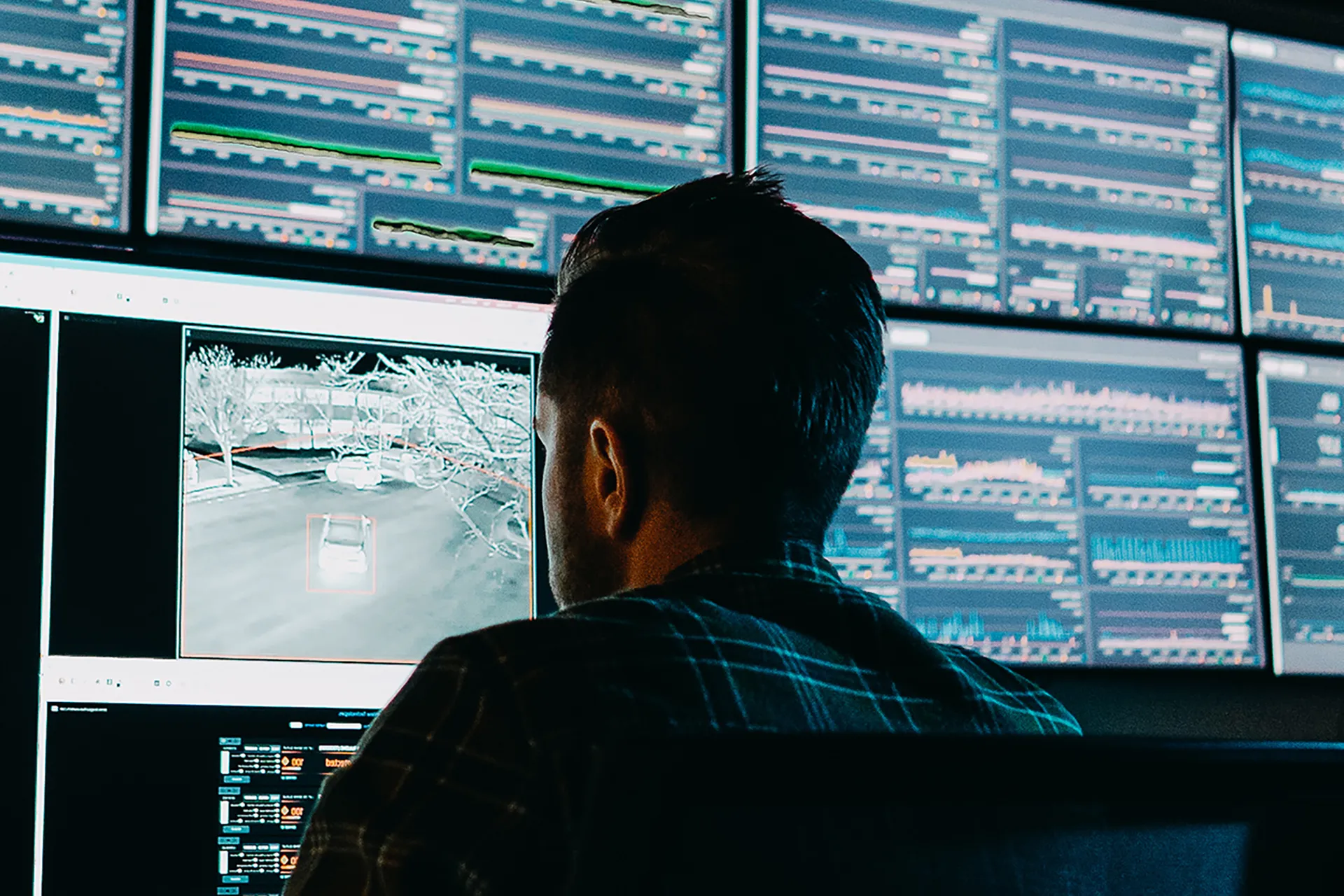
Human monitoring adds judgment and context. A trained operator may review the available video, consider the time and location, compare the event with the property’s procedures, and follow the response plan. The best role for each technology depends on the system, the property, and the monitoring service.
AI should not be described as infallible. Camera angle, lighting, weather, obstruction, image quality, unusual behavior, and network problems can affect performance. Regular testing and system maintenance are important.
Which Businesses Can Benefit From Video Verification?
Video verification can be useful for many commercial properties, especially locations with valuable equipment, inventory, vehicles, restricted areas, or after-hours exposure.
Retail stores may use it around entrances, cash-handling areas, stockrooms, loading zones, and parking areas. Warehouses and industrial properties may need coverage near equipment, inventory, gates, and loading docks. Construction and renovation sites may benefit from monitoring tools, materials, temporary fencing, and after-hours movement.
Apartment communities and homeowners associations may use video verification near gates, parking areas, pools, package rooms, and shared facilities. Healthcare facilities, schools, offices, dealerships, and restaurants may have different needs based on their hours, visitors, staff, and sensitive areas.
Security by APS’s business security services can be reviewed alongside video monitoring, access control, fire protection, and other components of a commercial security plan.
How Should Cameras Be Positioned for Verification?
Camera placement is one of the most important parts of video verification. A camera should provide a useful view of the area where an alarm event occurs. The image should show enough detail to help identify the type of activity without being blocked by a wall, sign, vehicle, glare, vegetation, or poor lighting.
Common areas for review include primary entrances, employee entrances, gates, loading areas, parking lots, side doors, inventory areas, equipment zones, and building perimeters. The correct locations vary by property.
A camera aimed at a wide area may show that activity occurred but not provide enough detail to identify what happened. A camera aimed too narrowly may miss the approach to the protected point. A professional site assessment can balance coverage, lighting, privacy, storage, network conditions, and response goals.
What Happens After a Video-Verified Alert?
The response depends on the event and the monitoring agreement. An operator may review the footage, contact the designated business representative, use available voice communication, activate a configured deterrent, escalate to emergency responders according to applicable procedures, or document the event.
A business should establish a response plan before an incident occurs. The plan should identify primary and backup contacts, after-hours procedures, access instructions for emergency personnel, authorized remote users, escalation rules, and circumstances that require an immediate call to emergency services.
The response plan should also address employees who may be present, deliveries, contractors, cleaning services, scheduled maintenance, and temporary changes to operating hours. Clear information reduces confusion when an event occurs.
Can Video Verification Improve Police Response?
Verified video may provide responders with more information than an unverified alarm alone, but no private security provider can guarantee how a police agency will classify, prioritize, or respond to an event. Policies vary by jurisdiction and circumstance.
A business should view video verification as a way to improve the quality of information available to the monitoring team and responsible contacts. It may help clarify whether activity appears to involve an actual threat and support a more informed response. Businesses should avoid treating it as a promise of a specific response time or outcome.
Does Video Verification Protect Privacy?
Video systems should be designed and used responsibly. Businesses should consider where cameras are placed, what areas are appropriate for monitoring, who can access video, how long footage is retained, and how employees, customers, residents, and visitors are informed when required.
Cameras should be aimed at security-relevant areas and should not be used in locations where people reasonably expect privacy. Access to video should be limited to authorized users, and login credentials should be protected. A written policy can explain viewing, sharing, retention, incident review, and requests for footage.
Privacy and legal requirements can vary by location and industry. Businesses should obtain appropriate legal or compliance guidance when needed.
How Can a Business Reduce False Alarms Beyond Video Verification?
Video verification works best when combined with good operational practices. A business can reduce unnecessary alerts by maintaining doors and sensors, correcting loose hardware, updating access permissions, trimming vegetation that blocks cameras, improving lighting, training employees, and reviewing alarm schedules when operating hours change.
Managers should study alarm history to identify repeated patterns. A door that frequently triggers alerts may need maintenance. A camera that regularly loses visibility may need a different position or better lighting. A motion rule that is too broad may need adjustment.
Regular system testing and communication with the monitoring provider can help identify problems before they become recurring issues. Security by APS can evaluate the property and explain how interactive security technology and professional monitoring may fit the business’s needs.
Frequently Asked Questions About Video Verification
Is video verification the same as a security camera?
No. A security camera records or transmits visual information. Video verification uses video to help assess a specific alarm or security event. A property can use cameras without verified alarm response, although the technologies can work together.
Can video verification eliminate all false alarms?
No. It can help identify non-threatening activity and improve alert context, but no system eliminates every false alarm. Results depend on system design, camera placement, analytics, monitoring, maintenance, and property procedures.
Does video verification require AI?
Not always. Some systems use traditional video review, while others use AI analytics to classify objects or identify activity. Human monitoring and system configuration may remain important even when AI is included.
Can a business view verified events from a phone?
Some systems support secure remote viewing through a phone or computer. The available features depend on the equipment, software, user permissions, internet connection, and monitoring service.
Does video verification work at night?
It can, but performance depends on lighting, camera capability, placement, weather, and the scene being monitored. A site assessment should consider nighttime visibility rather than assuming that every camera will produce the same image quality.
Can video verification be added to an existing alarm system?
In some cases, cameras and video verification can be added to or integrated with an existing system. Compatibility, network conditions, equipment age, monitoring arrangements, and property needs must be evaluated first.
What should a business ask a security provider?
Useful questions include which events are verified, who reviews them, how quickly alerts are handled, what video is retained, how users access footage, what happens during a network outage, how privacy is addressed, and which response actions are included in the agreement.