Commercial access control systems help businesses decide who can enter a property, which areas each person can access, and when access is allowed. Unlike a traditional key, a modern access control credential can be assigned to a specific employee, contractor, tenant, or visitor. If a person changes roles or leaves the company, access can be adjusted or removed without replacing every lock.
For New Orleans businesses, access control can be useful in offices, retail stores, warehouses, healthcare facilities, apartment communities, schools, construction sites, and other properties with employees, customers, vendors, or residents moving through different areas. The right system can support security while also making daily operations easier to manage.
What Is a Commercial Access Control System?
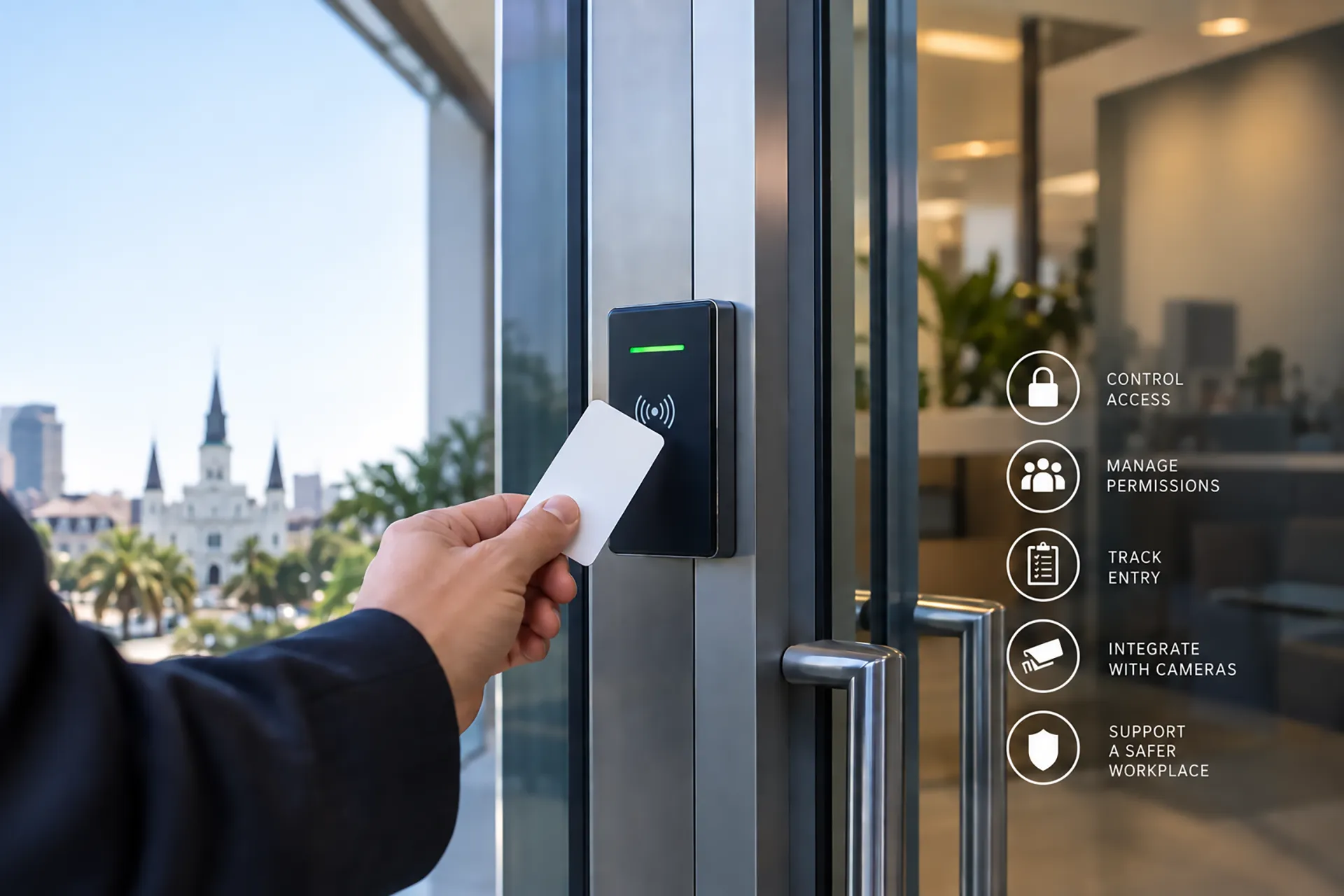
A commercial access control system is a collection of electronic locks, readers, credentials, software, and management tools used to control entry. A credential may be a key card, fob, mobile device, PIN, biometric identifier, or another approved method. When a person presents a credential, the system checks whether that credential is authorized for the specific door, gate, date, and time.
A basic system may control one entrance. A larger system can manage multiple buildings, interior rooms, parking areas, gates, elevators, and restricted zones from a central platform. Some systems also keep an activity record showing when an entry was requested and whether access was granted or denied.
Access control is different from a camera system. A camera records or streams visual information, while access control manages permission. The two technologies become more useful when they are connected. For example, a business can review video associated with an access event or investigate a door opening that occurred outside normal hours.
Why Do Businesses Use Access Control?
The main reason businesses use access control is to limit entry to authorized people. A property may contain public areas, employee-only areas, inventory rooms, offices, server rooms, medication storage, financial records, or equipment that should not be accessible to everyone.
Access control can also improve accountability. A physical key may show that someone had a key, but it usually does not create a detailed record of when the key was used. An electronic system can associate an entry event with an assigned credential and help a business review activity after an incident.
The technology may also support operational convenience. A manager can assign access to a new employee, change access for a supervisor, or remove access for a former employee without coordinating the collection and replacement of every physical key. The exact capabilities depend on the system, installation, policies, and credential type.
What Are the Main Parts of an Access Control System?
A commercial system usually includes several connected parts.
Readers identify the credential presented at a door, gate, or other controlled point. The reader may accept a card, fob, mobile credential, PIN, or another approved method.
Credentials identify the person or group requesting access. Credentials should be assigned carefully and removed promptly when they are no longer needed.
Electronic locks or door hardware respond to the access decision. The hardware selected should match the door, building use, life-safety requirements, and local code requirements.
Control panels and communication equipment connect the access point to the system’s management platform. Reliable communication is important for transmitting access events and applying changes.
Management software allows authorized administrators to create users, assign permissions, set schedules, review activity, and manage different access groups.
Power and backup components help the system continue operating during certain interruptions. The correct design depends on the property, hardware, power requirements, and emergency procedures.
A professional security provider can evaluate the property and recommend equipment that works with existing doors, gates, alarms, cameras, and network infrastructure.
What Types of Credentials Can Employees Use?
The best credential depends on the property, risk level, staff, and operational needs. Common options include key cards, fobs, PIN codes, mobile credentials, and biometric systems.
Key cards and fobs are familiar and easy to issue. PINs can be convenient, but shared codes reduce accountability and should be avoided when individual credentials are practical. Mobile credentials may allow approved users to enter with a smartphone, although the system must account for device access, battery life, replacement procedures, and user support.
Biometric credentials may be appropriate in certain high-security environments, but they involve additional privacy, operational, and compliance considerations. A business should evaluate whether biometric technology is necessary and whether the system handles personal information appropriately.
No credential type removes the need for sound security policies. A business should still establish rules for lost cards, shared credentials, visitors, contractors, tailgating, emergency access, and former employees.
How Does Access Control Support Different Business Areas?
A commercial property is rarely one uniform space. Different people often need access to different areas.
An office may allow employees into the main building during business hours while limiting server rooms, records rooms, executive areas, or supply closets. A retail store may separate customer areas from cash offices, inventory rooms, receiving areas, and employee entrances.
A warehouse may use access control for loading docks, equipment rooms, inventory areas, and offices. A healthcare facility may need carefully managed access to medication storage, staff-only spaces, patient areas, and administrative offices. An apartment community may use access control for building entrances, package rooms, parking areas, amenity spaces, and gates.
A school or campus may need different permissions for staff, students, visitors, contractors, and emergency personnel. Access schedules can be designed around the property’s actual operations rather than applying the same access rule to everyone.
Can Access Control Be Managed Remotely?
Many modern access control systems allow authorized administrators to manage users and permissions through a secure software platform. Depending on the system, an administrator may be able to add or remove a credential, update a schedule, review access events, or manage multiple locations.
Remote management can be especially useful for businesses with multiple buildings, rotating staff, property managers, or after-hours operations. It does not mean that every action should be performed remotely or that every user should receive administrative privileges. Strong account security, permission controls, and clear internal procedures remain important.
Security by APS provides commercial security systems and can help businesses evaluate how access control fits with the property’s existing protection plan.
How Does Access Control Work With Security Cameras?
Access control answers the question, “Was this credential authorized?” Video can help answer, “Who was present, and what happened at the entry point?” When the systems are integrated, a business may be able to compare access events with camera footage.
This can help with investigations involving a lost credential, a door forced open, an unauthorized person following an employee through a secure entrance, or activity occurring outside an approved schedule. The value depends on camera placement, lighting, system configuration, retention, privacy policies, and the quality of the available event information.
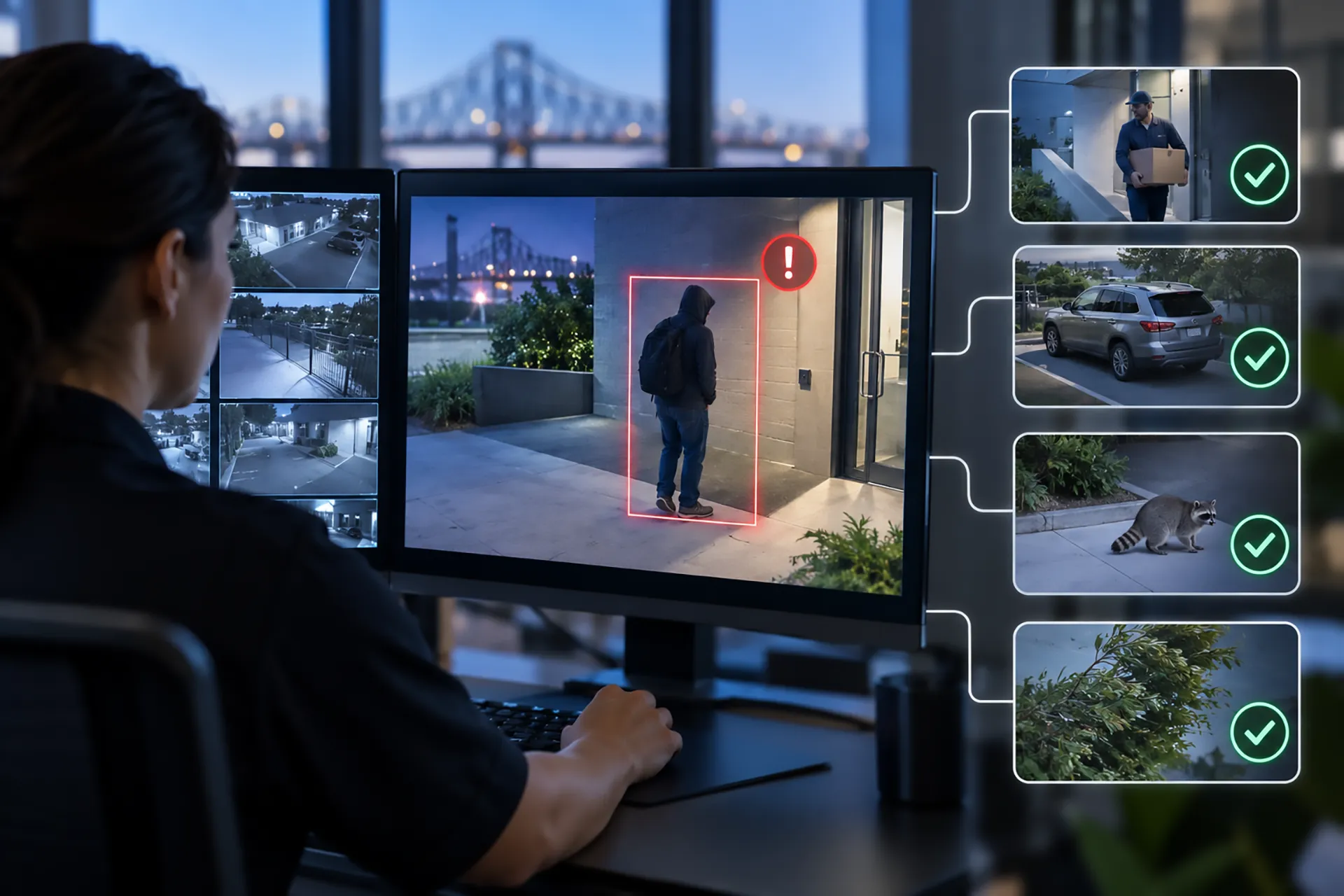
Businesses can also connect access control with ProVisual AI video monitoring or other security technologies when the system design supports that integration. A professional evaluation can identify which events should create alerts, which should be logged for review, and which require a response.
How Does Access Control Work With Alarm Systems?
Access control and intrusion alarms address different parts of a security plan. Access control manages authorized entry, while an alarm system can identify unauthorized entry, forced doors, tampering, or other monitored events.
For example, a business may allow an employee to enter through a designated door during a scheduled shift. A forced door, an entry attempt outside the schedule, or repeated denied credentials may require review or an alert, depending on the system and the business’s policies.
Integration can reduce the need to manage separate systems independently. It can also provide a clearer picture of what happened during an incident. The design should account for employee routines, deliveries, contractors, emergency access, fire and life-safety requirements, and procedures for arming or disarming areas.
What Should a Business Consider Before Choosing Access Control?
A business should begin with the property and its daily operations rather than choosing equipment based only on a feature list. Important questions include:
- How many doors, gates, buildings, and restricted areas need control?
- Which people need access to each area?
- Are access permissions different by role, day, time, or location?
- Are there frequent visitors, vendors, tenants, or contractors?
- What should happen when a credential is lost or an employee leaves?
- Does the property need activity records or remote management?
- Should access events connect with cameras, alarms, fire protection, or other systems?
- What happens during a power, network, or equipment interruption?
- Are there building, fire, accessibility, privacy, or life-safety requirements?
- Will the system need to expand as the business grows?
A security professional can review the site, identify entry points and vulnerable areas, and recommend a system that matches the actual use of the property.
Is Professional Installation Important?
Professional installation can help ensure that readers, locks, control panels, software, cameras, and communication equipment work together correctly. It also allows the system designer to account for door construction, traffic patterns, lighting, network conditions, emergency procedures, and future expansion.
Installation should not be treated as the end of the process. Staff members need clear instructions for issuing credentials, handling visitors, reporting lost devices, reviewing access records, and responding to unusual events. Periodic reviews can help identify outdated users, unused credentials, schedule changes, and new areas that require protection.
Security by APS has served the Greater New Orleans area, the Northshore, and the Mississippi Gulf Coast for more than 35 years. Businesses can review the locations Security by APS serves or request a free security evaluation to discuss a commercial property’s needs.
Frequently Asked Questions About Commercial Access Control
Is access control only for large companies?
No. Small businesses can use access control for a single main entrance, an office, inventory room, or employee-only area. Larger systems can be expanded for multiple doors and buildings.
Can access control replace traditional keys?
It can reduce dependence on traditional keys, but the best approach depends on the property and hardware. Some locations may use electronic access at important entry points while retaining mechanical locks for specific purposes.
What happens when an employee leaves?
An authorized administrator can usually deactivate or change the employee’s credential. The business should have a written procedure for removing access promptly and collecting any physical keys or devices.
Can visitors receive temporary access?
Many systems can provide temporary or limited access, depending on the equipment and software. Visitor procedures should identify who is responsible for approval, when access expires, and which areas are permitted.
Can access control be used for apartment communities?
Yes. Access control can help manage building entrances, gates, parking areas, package rooms, and shared amenities. The system should be designed around resident safety, visitor procedures, emergency access, and property-management needs.
Does access control automatically prevent every intrusion?
No security system can guarantee that every unauthorized event will be prevented. Access control is one part of a broader plan that may include cameras, alarms, lighting, policies, staff training, and professional monitoring.